鈥?/div>
+
AMP
OUT
SERIAL
CLOCK
C-BUS
INTERFACE
AND
CONTROL
LOGIC
8-Bit Parallel Bus
UNCOMMITTED
V
BIAS
Rx SYNC
Detect
Rx SYNC
Detect
AMPLIFIER
V
SS
COMMAND
DATA
ADDRESS
DECODER
CONTROL
REGISTER
STATUS
REGISTER
INTERRUPT
GENERATOR
IRQ
WAKE
ADDRESS
SELECT
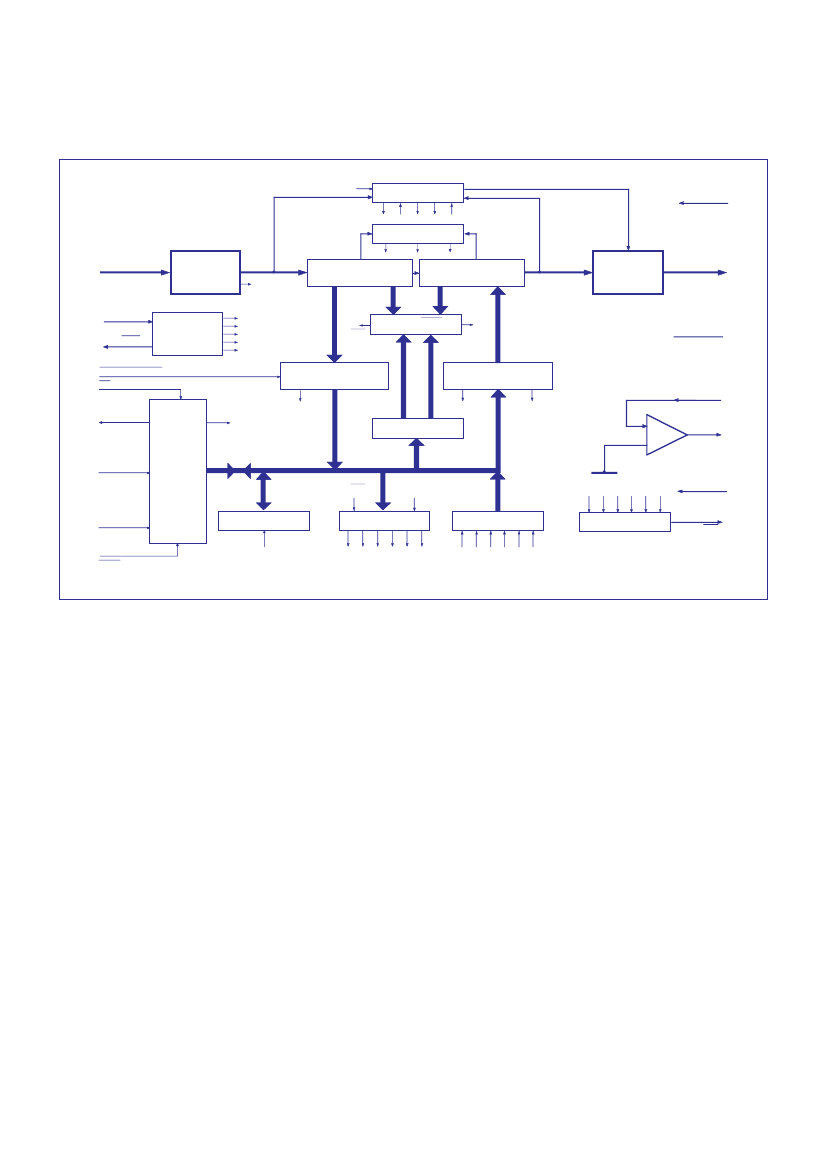
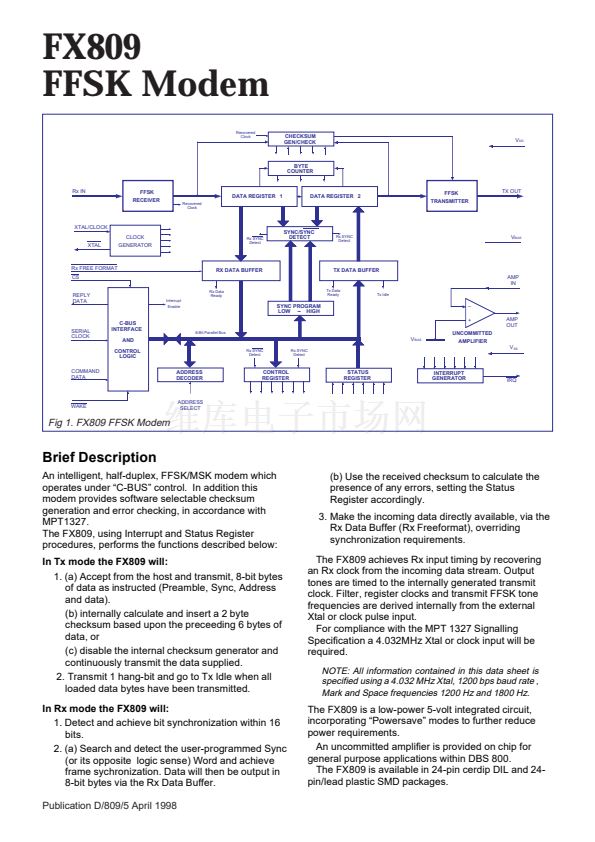
Fig 1. FX809 FFSK Modem
Brief Description
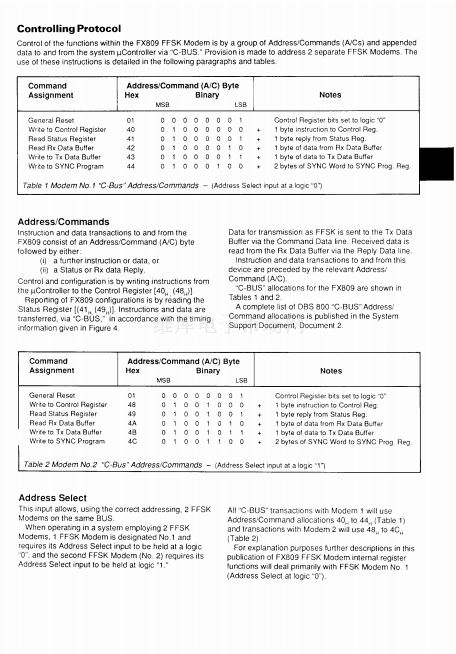
An intelligent, half-duplex, FFSK/MSK modem which
operates under 鈥淐-BUS鈥?control. In addition this
modem provides software selectable checksum
generation and error checking, in accordance with
MPT1327.
The FX809, using Interrupt and Status Register
procedures, performs the functions described below:
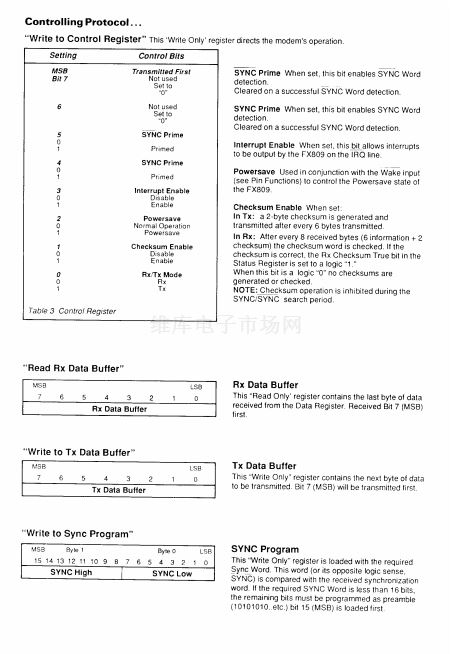
In Tx mode the FX809 will:
1. (a) Accept from the host and transmit, 8-bit bytes
of data as instructed (Preamble, Sync, Address
and data).
(b) internally calculate and insert a 2 byte
checksum based upon the preceeding 6 bytes of
data, or
(c) disable the internal checksum generator and
continuously transmit the data supplied.
2. Transmit 1 hang-bit and go to Tx Idle when all
loaded data bytes have been transmitted.
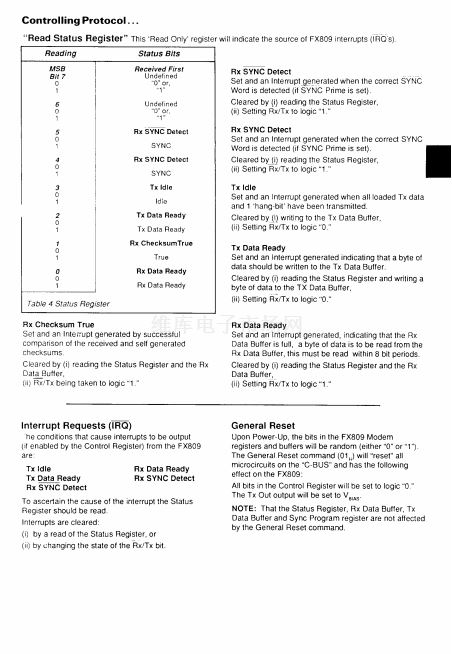
In Rx mode the FX809 will:
1. Detect and achieve bit synchronization within 16
bits.
2. (a) Search and detect the user-programmed Sync
(or its opposite logic sense) Word and achieve
frame sychronization. Data will then be output in
8-bit bytes via the Rx Data Buffer.
Publication D/809/5 April 1998
(b) Use the received checksum to calculate the
presence of any errors, setting the Status
Register accordingly.
3. Make the incoming data directly available, via the
Rx Data Buffer (Rx Freeformat), overriding
synchronization requirements.
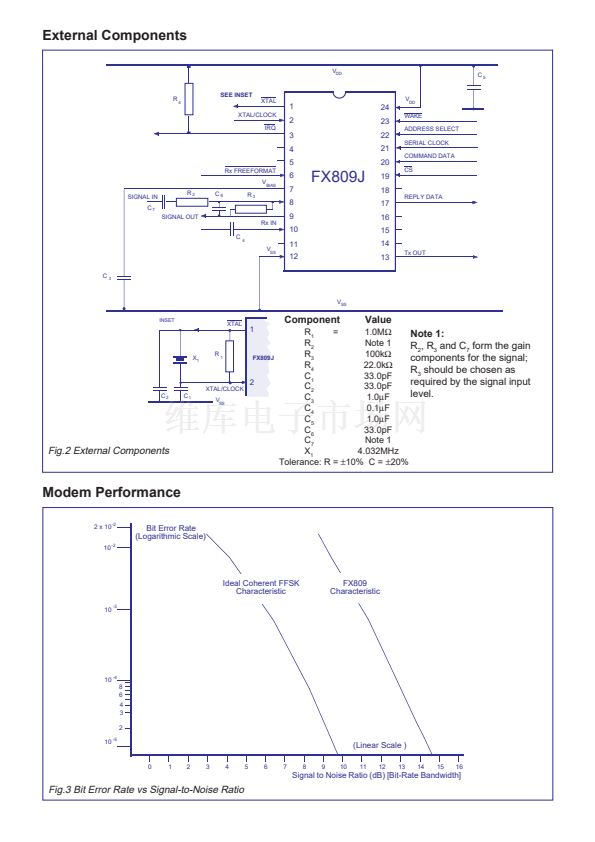
The FX809 achieves Rx input timing by recovering
an Rx clock from the incoming data stream. Output
tones are timed to the internally generated transmit
clock. Filter, register clocks and transmit FFSK tone
frequencies are derived internally from the external
Xtal or clock pulse input.
For compliance with the MPT 1327 Signalling
Specification a 4.032MHz Xtal or clock input will be
required.
NOTE: All information contained in this data sheet is
specified using a 4.032 MHz Xtal, 1200 bps baud rate ,
Mark and Space frequencies 1200 Hz and 1800 Hz.
The FX809 is a low-power 5-volt integrated circuit,
incorporating 鈥淧owersave鈥?modes to further reduce
power requirements.
An uncommitted amplifier is provided on chip for
general purpose applications within DBS 800.
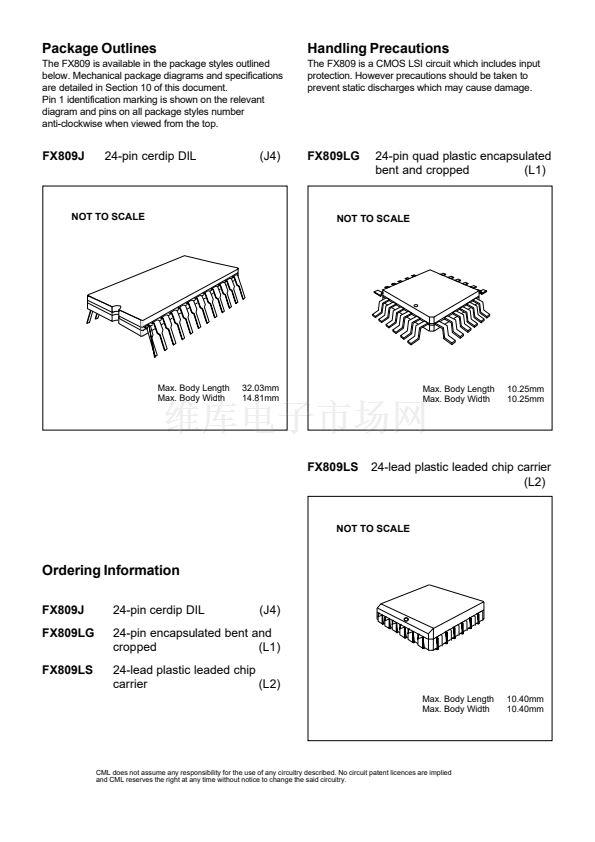
The FX809 is available in 24-pin cerdip DIL and 24-
pin/lead plastic SMD packages.









 1
1
 2
2
 3
3
 4
4
 5
5
 6
6
 7
7
 8
8
 9
9
 10
10
 11
11
 12
12
 13
13
 14
14
 15
15
